-
How it works
Gmail Motion uses your computer's built-in webcam and Google's patented spatial
tracking technology to detect your movements and translate them into meaningful
characters and commands. Movements are designed to be simple and intuitive for people
of all skill levels.
-
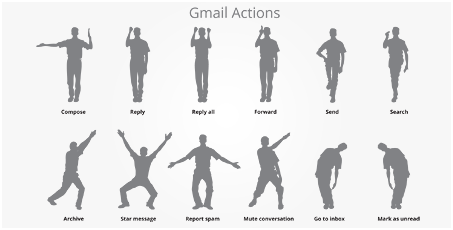
Motion Guide
Familiarize yourself with some of the basic functionality of Gmail Motion using this printable guide of sample gestures. With it, you'll be able to start writing and responding to emails – with your body – in no time.
-
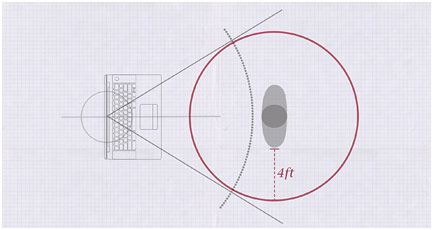
Safety precautions
Using Gmail Motion is not only safe but also healthy and fun. As with any physical activity, certain precautions are recommended. First, make sure to clear the area around you. Second, try to take short breaks every 30-40 minutes, just as you would if you were typing. And finally, take time to stretch after each session to give the muscles you'll be using some relief.
-
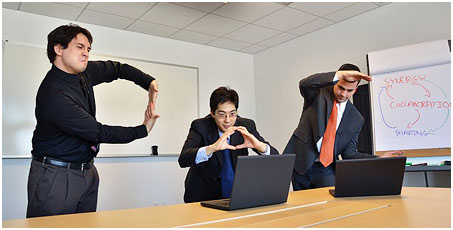
Coming soon to Google Docs
This new motion detection technology doesn't stop with Gmail. We're excited to announce that Google Docs Motion will be coming later this year.

-
 "No longer will people be required to bend to the will of technology. Instead,
technology will now bend to our will." Lorraine Klayman, Environmental
Movement Specialist, Nevada Polytechnic College
"No longer will people be required to bend to the will of technology. Instead,
technology will now bend to our will." Lorraine Klayman, Environmental
Movement Specialist, Nevada Polytechnic College
-
 "It is commonly known that 80% of communication is non-verbal. Gmail Motion not only
accepts this fact – it embraces it." Dennis Tooley, Ph.D, California Center for
Kinesis and Paralanguage
"It is commonly known that 80% of communication is non-verbal. Gmail Motion not only
accepts this fact – it embraces it." Dennis Tooley, Ph.D, California Center for
Kinesis and Paralanguage
-
 "Kudos to the Gmail team for bridging the divide. I'm eagerly awaiting the next version with ASL turbo boost!" Ken Harrenstien, Software Engineer, Google Accessibility Team


No comments:
Post a Comment